
The first 20 ChatGPT conversations are easy to manage.
After a few hundred, the problem is different.
You usually have not “lost” the conversations. You have lost the map of your work.
Which chat contains the final pricing decision? Which one has the file you approved? Which project contains the research that caused you to reject the first idea? Is the current conversation still the right place to continue?
A good system needs more than storage. It needs structure, retrieval and continuation.
Start with ChatGPT's native tools
Before adding anything else, use the organization that ChatGPT already provides.
1. Projects
Projects are designed for long-running work. They can keep related chats, files and project instructions together, and current ChatGPT versions include project memory/context behavior.
Use one Project for a persistent objective, not for every small question.
Examples:
ContinuForge2026 tax preparationBook manuscriptCustomer research
Inside a Project, create separate conversations for meaningful stages.
2. Search
ChatGPT history search can find past conversations by words in their title or content.
This is extremely useful if you remember a distinctive term.
It is less useful when you only remember the meaning:
“I know we rejected some payment provider, but I cannot remember which chat or exact wording.”
That is why naming and structure still matter.
3. Archive
Finished conversations do not all need to remain visible.
Archiving lets you reduce clutter without treating the conversation as disposable.
Give conversations names that survive time
A title should make sense three months later.
Weak:
QuestionNew chatHelpContinue
Better:
ContinuForge — Chrome Web Store releaseContinuForge — payment integrationLaunch — Reddit Wave 1Website — SEO article structure
A simple pattern is:
Project — stage or problem
The goal is not perfect taxonomy. The goal is recognition.
Do not use one giant conversation as the entire project
One of the easiest organization mistakes is treating a single chat as the project database.
At first, this feels convenient because everything is “in one place.”
Later:
- navigation is slower;
- unrelated stages mix together;
- old decisions become difficult to find;
- the conversation accumulates historical baggage;
- starting a fresh task still means loading the giant thread.
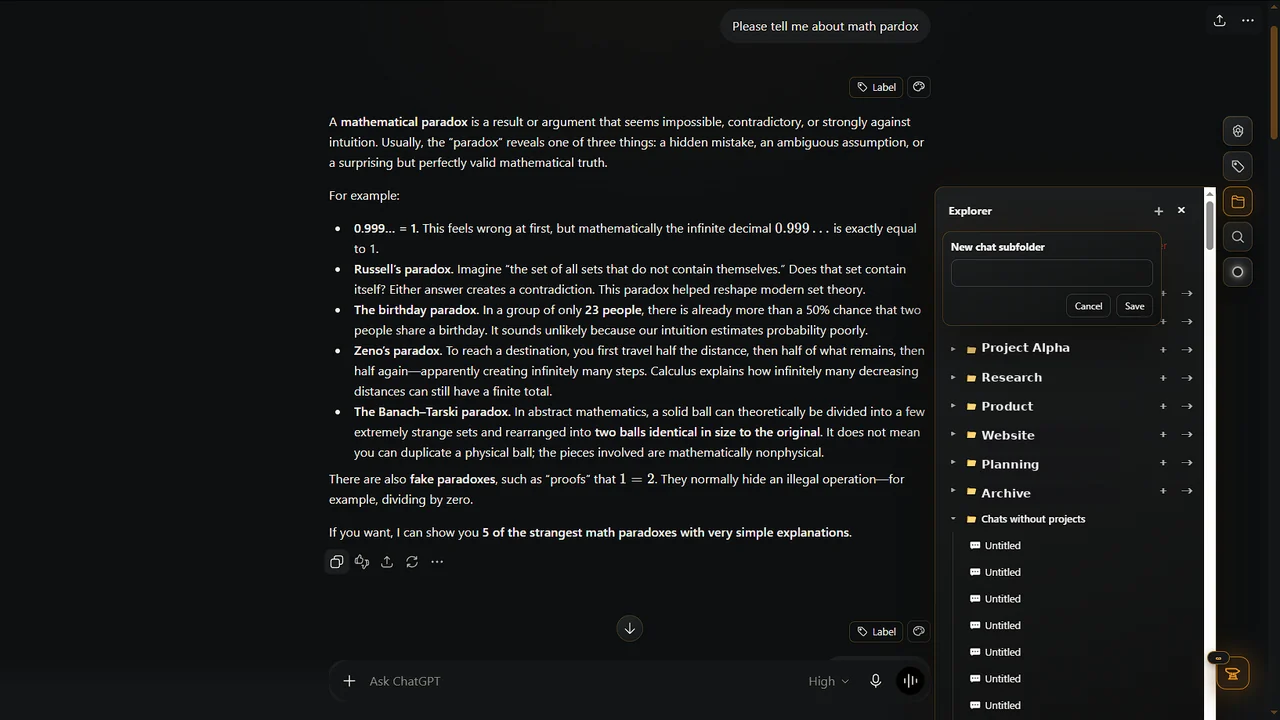
Instead, treat the Project as the long-lived container and conversations as working sessions or stages.
For example:
Project: ContinuForge
Chats:
Product modelWebsite releaseChrome Store submissionPaymentsSEOCommunity launch
The project persists. Individual conversations can end.
Preserve important decisions outside one giant thread
Organization fails when the only record of an important decision is one sentence 300 messages back.
Even without ContinuForge, you can keep a small manual project note with the decisions, constraints and next action that you personally want to remember.
This is general workflow advice, not a claim that ContinuForge automatically identifies or extracts those items.
The practical goal is simple: an important decision should not be impossible to recover just because you no longer remember the exact message where it appeared.
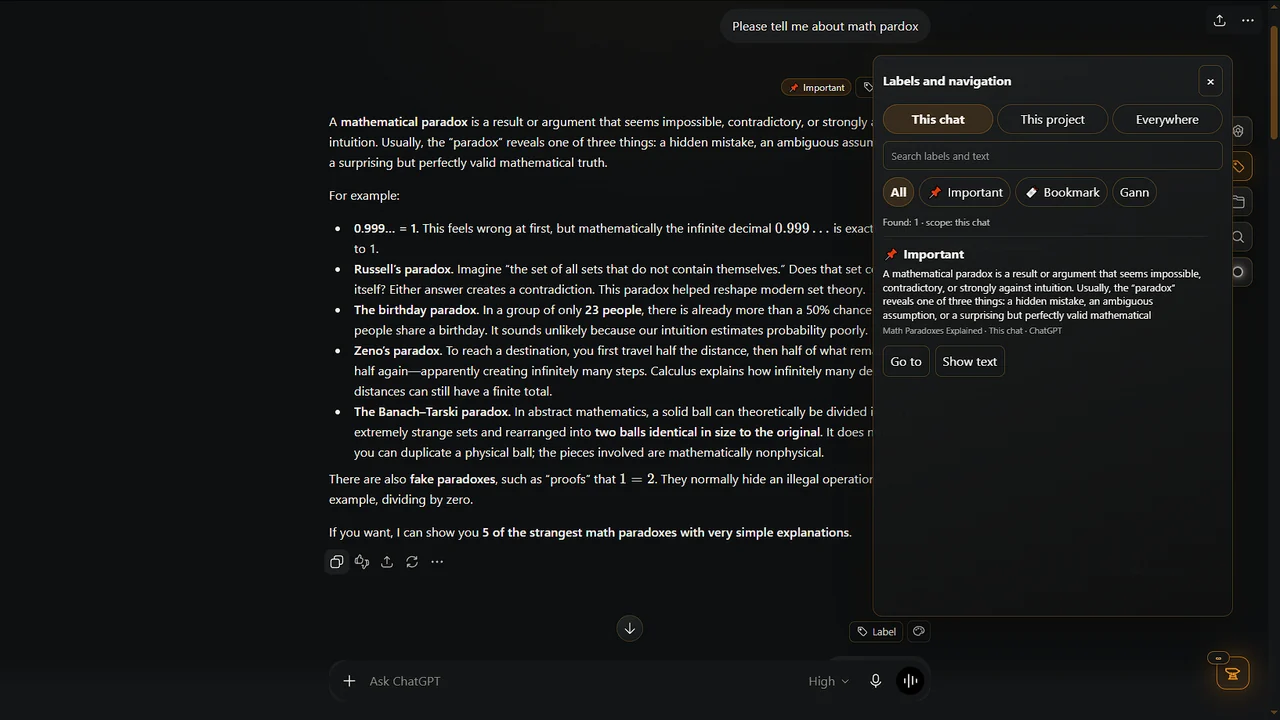
Use labels for meaning that Projects do not capture
Projects answer:
“What broad work does this belong to?”
A label can answer:
- decision;
- blocker;
- source;
- important;
- revisit;
- done;
- waiting.
This second dimension is useful when the same type of information appears across many conversations.
Search and navigation solve different problems
Search is excellent when you know what you are looking for.
Navigation is better when you do not.
You might not remember the phrase “refund policy,” but seeing:
ContinuForge → Website → Legal
can trigger the right memory.
A scalable system benefits from both.
Where ContinuForge helps
ContinuForge is an additional layer for people whose ChatGPT usage has become ongoing project work.
Its existing tools include:
- Explorer/navigation;
- search;
- labels;
- continuation between conversations;
- export;
- ContinuForge Memory for saved web material.
The goal is not to replace Projects or ChatGPT Search.
The useful combination is:
Projects keep related work together.
Search retrieves known terms.
ContinuForge adds navigation, labeling and continuity across long-running work.
A practical system for 500+ chats
You do not need to reorganize your entire history in one day.
Start with active work.
Step 1
Create or clean up Projects for the 5–10 objectives that still matter.
Step 2
Rename the important active conversations.
Step 3
Archive completed or no-longer-active threads.
Step 4
Mark or label decisions, blockers and important sources where your workflow supports it.
Step 5
When a conversation becomes too large, continue the project in a fresh chat instead of extending the same thread forever.
Step 6
Capture outside research separately so it does not flood unrelated chats.
After that, organize old history only when you need it.
The real goal is not a clean sidebar
A perfectly organized sidebar is not the objective.
The objective is being able to answer three questions quickly:
- Where is the work?
- What did we decide?
- What should happen next?
If your system answers those questions, it is working.
If you spend more time maintaining folders than doing the project, simplify it.
Make ChatGPT a workspace, not a pile of conversations
Long-term AI work becomes much easier when a conversation is no longer the only unit you manage.
Use Projects for persistent work, Search for retrieval, meaningful names for recognition, and fresh chats for new stages.
ContinuForge can add the layer between those pieces when the amount of work becomes too large for a simple sidebar.