
“Memory” can mean several different things when you work with ChatGPT.
ChatGPT has its own Memory features. ChatGPT Projects keep related chats, files and instructions together and have project context/memory behavior. ContinuForge has a feature called ContinuForge Memory for material you save from the web.
They are not three versions of the same feature.
A simple way to think about them is:
| Tool | Main question it answers |
|---|---|
| ChatGPT Memory | What useful information about me or my past interactions can ChatGPT remember or reference? |
| ChatGPT Projects | What chats, files and instructions belong to this ongoing project? |
| ContinuForge Memory | What useful web material did I capture to process and use later? |
Understanding the difference helps you avoid turning one system into a job it was not designed to do.
What is ChatGPT Memory?
OpenAI currently describes ChatGPT Memory through settings such as Reference saved memories and Reference chat history, depending on your account and configuration.
Saved memories are details you explicitly want ChatGPT to remember — for example, a preference or recurring piece of information.
Reference chat history allows ChatGPT to use useful information from previous conversations when that setting is available and enabled. OpenAI also notes that chat history does not mean every detail from every past conversation is permanently remembered.
So ChatGPT Memory is primarily about what ChatGPT can carry forward about you and previous interactions.
It is not a browser clipper and not a folder of web pages you saved for later.
What are ChatGPT Projects?
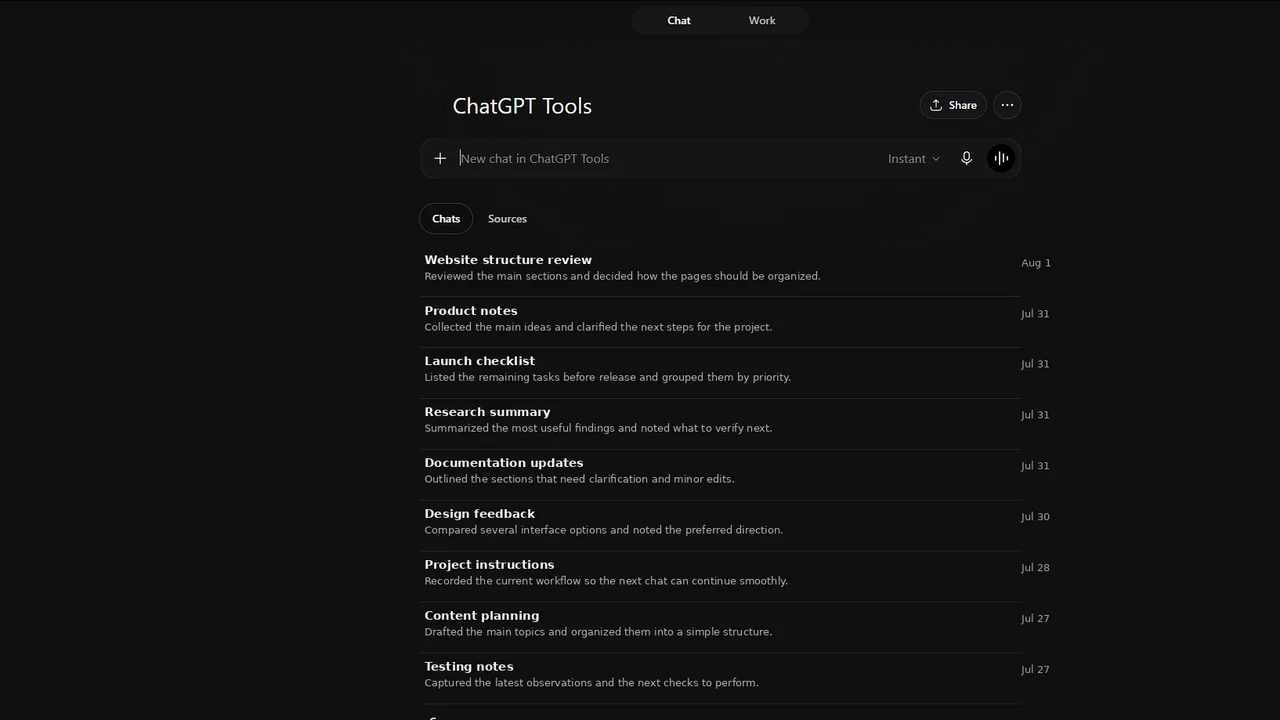
Projects are workspaces for ongoing efforts.
A Project can keep together:
- chats;
- uploaded reference files;
- project instructions;
- project-related context/memory behavior.
This is useful when the work has a persistent identity.
Examples:
- building a product;
- writing a book;
- planning a trip;
- maintaining a research program;
- managing a long client engagement.
Instead of scattering all related conversations across the global chat list, you give them a common workspace.
Projects answer:
“What belongs to this work?”
What is ContinuForge Memory?
ContinuForge Memory is different.
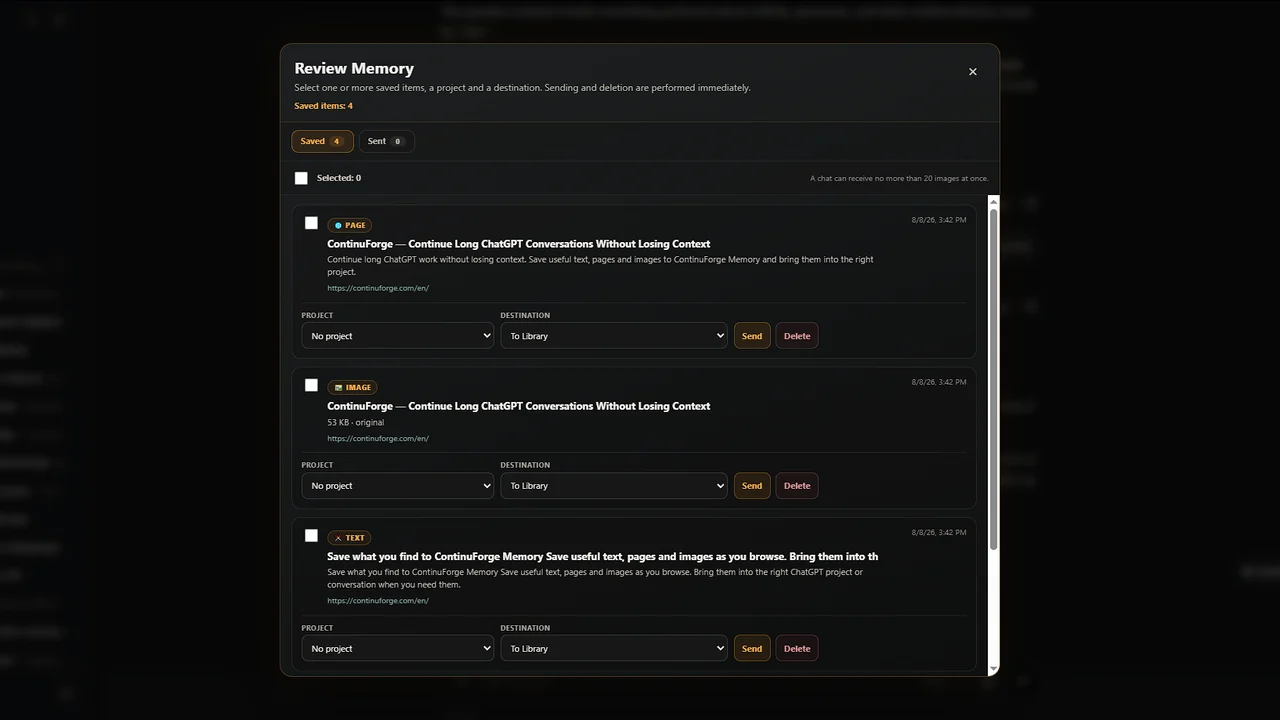
It is designed as an inbox for useful material you encounter while browsing.
For example:
- a selected paragraph;
- a web page;
- an image.
You can save supported material through ContinuForge, continue browsing, then later open Review Memory and decide what should happen to each item.
That makes it closer to a research inbox or web clipper than to ChatGPT's personal Memory feature.
ContinuForge Memory answers:
“What did I find on the web that I want to use later?”
One example using all three
Suppose you are researching a new product.
ChatGPT Memory
ChatGPT may remember or reference stable information about how you prefer to work, depending on your Memory settings.
ChatGPT Project
You create a Project called New product research containing:
- research chats;
- a spreadsheet;
- product requirements;
- project instructions.
ContinuForge Memory
While browsing the web, you save:
- three competitor pricing sections;
- an interesting screenshot;
- a paragraph from an article;
- one documentation page.
You do not interrupt the current chat to process them.
Later you review ContinuForge Memory and route the useful items into the appropriate work.
The three systems cooperate because they solve different layers of the workflow.
Why a bookmark is not the same thing
A bookmark stores a route back to a website.
ContinuForge Memory is useful when the thing you care about is the material itself and its future use in ChatGPT.
For example, you may not want to remember:
“Open example.com again.”
You may want to remember:
“This paragraph is evidence for our pricing decision; I need to discuss it in the product project.”
That is a different job.
Why Projects do not eliminate the need for an inbox
Projects are already a destination.
During research, you may not know the destination yet.
You find a page while working on something else. You know it is useful, but you do not want to decide immediately whether it belongs in:
- marketing;
- product;
- legal;
- a new chat;
- project sources.
An inbox lets you delay that classification.
The workflow becomes:
Capture → Review → Route
instead of:
Find → stop current task → choose destination → paste/upload → return to browsing
Which one should you use?
Use ChatGPT Memory when:
- you want ChatGPT to remember or reference information about you or prior interactions;
- the information should help future conversations broadly;
- the behavior matches your Memory settings and privacy preferences.
Use ChatGPT Projects when:
- several chats belong to one long-running objective;
- you have shared files or instructions for that work;
- you want the project to be the stable container.
Use ContinuForge Memory when:
- useful information appears while you browse;
- you want to capture it without interrupting your current task;
- you want to decide later which ChatGPT workflow should receive it.
In practice, heavy ChatGPT users may use all three.
ContinuForge Memory Core is Free
The existing core ContinuForge Memory workflow is intended to remain available in the Free version.
That includes the basic idea of capturing supported web material and reviewing it later.
Pro also includes Build & Send Memory Archive for combining selected Memory items into one ZIP archive, while the core capture and review workflow remains Free. ContinuForge Memory is still not a replacement for ChatGPT Memory or Projects.
It solves a separate problem.
The short version
ChatGPT Memory: remembers or references useful information across your interactions according to ChatGPT settings.
Projects: organize persistent work.
ContinuForge Memory: captures useful web material before you decide where it belongs.
If you regularly move between the browser and ChatGPT, that last step can remove a surprising amount of friction.